What ChatPilot does
An inbox for all your chats, Claude in each of them, and the tools to keep track of what people need from you. Everything below runs on your own computer.
All your apps in one place
| App | How it connects |
|---|---|
| Telegram | Your own account, with a login code |
| As a linked device, like WhatsApp Web (scan a QR code) | |
| Slack | One small app per workspace, from a ready-made manifest |
| Any IMAP/SMTP mailbox; Gmail and iCloud with an app password, Outlook with Microsoft sign-in | |
| iMessage & SMS | On a Mac, read from Messages with your permission |
- A reply box with files, screenshots, voice messages, templates and send later
- A full email client: folders, compose, forward, and replies from the address the mail was sent to
- Search across every app, and a ⌘K quick switcher
- Pinned chats, labels and snooze
Sorting, drafts and summaries
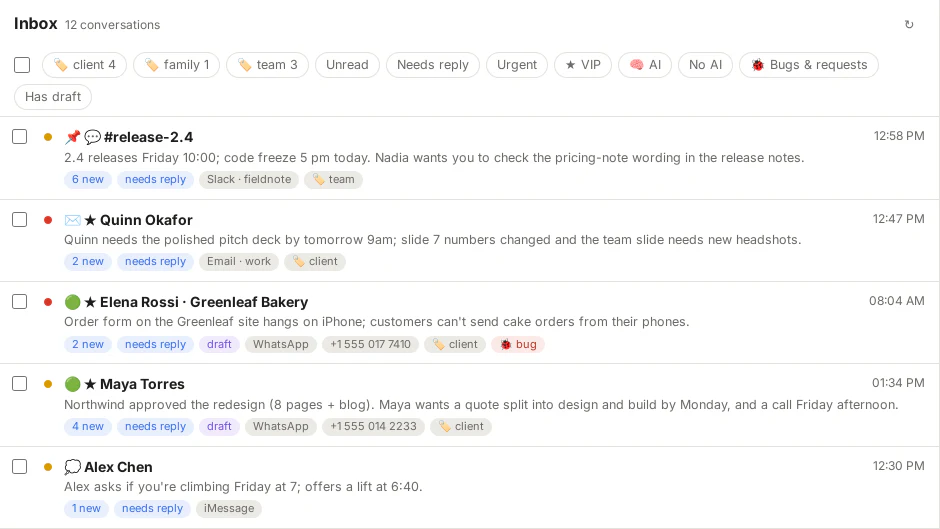
- Triage. New messages are marked urgent, needs reply or low, with a one-line summary. You get alerts only for what matters, and only urgent ones during quiet hours.
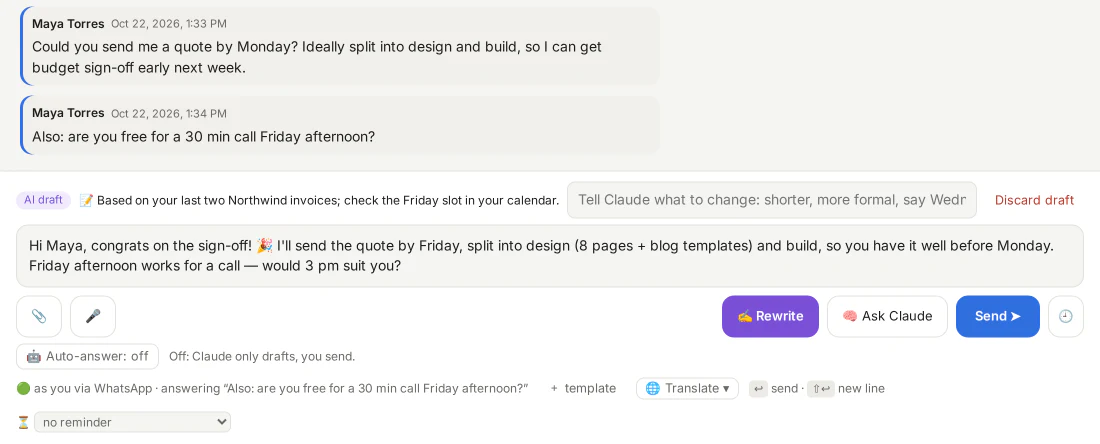
- Drafts in your style. Claude reads the conversation and your own earlier messages, and learns from how you change its drafts. You can read and edit what it has learned.
- What did I miss? A summary of a busy group or long thread on request, and digests at the times you choose.
- Translation of messages in other languages.
- Voice messages transcribed on your own computer (with whisper.cpp).
- Background knowledge. Notes about your work, clients and team that Claude reads before it sorts or drafts.
- Local AI, if you want it. Add a model that runs on your own computer (Ollama, LM Studio) or another AI service with an OpenAI-compatible API, and choose which tasks it takes over: sorting, summaries, translation, drafts, discussions. Chats you set to Store + local AI never reach Claude.
A private conversation about any chat
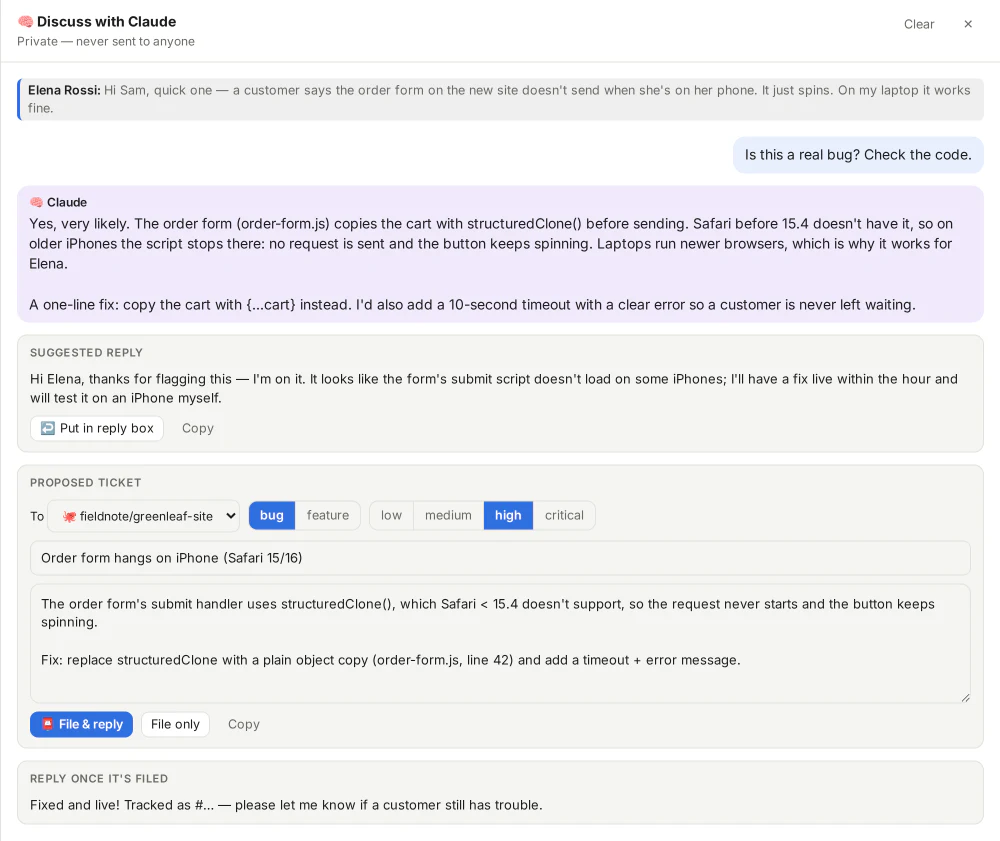
Open a discussion next to a chat and ask Claude what you'd ask a colleague, or press Handle this on a message: Claude checks it, tells you what's going on, and suggests your reply and a ticket if one is needed. Nobody in the chat sees it. Claude can read the folders you allow (your code, docs or notes) and, if you connect them, look things up in your own systems.
When a customer reports a problem, Claude can propose a ticket. You edit it and press File: into your own ticket system, a GitHub issue, or a tool of a connected data source. Where it can, ChatPilot follows the ticket and suggests a reply to the customer when its status changes.
A busy channel in ten seconds
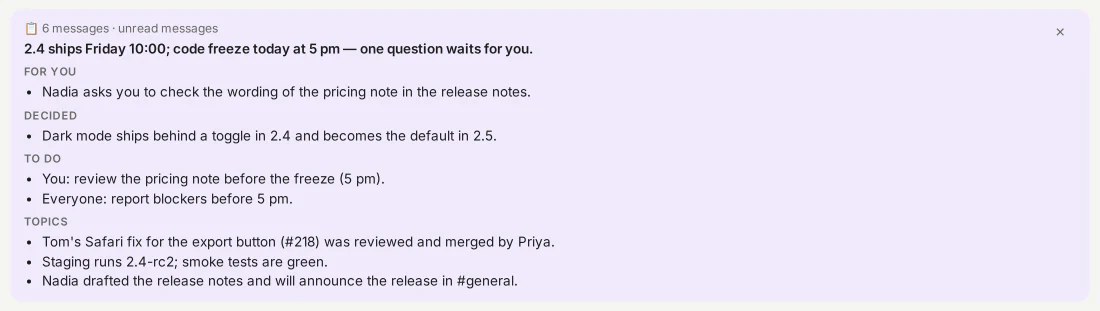
Back from a meeting to sixty messages in the team channel? One click and Claude tells you what's for you, what was decided, what still needs doing and what was talked about.
Your mailboxes, sorted like your chats
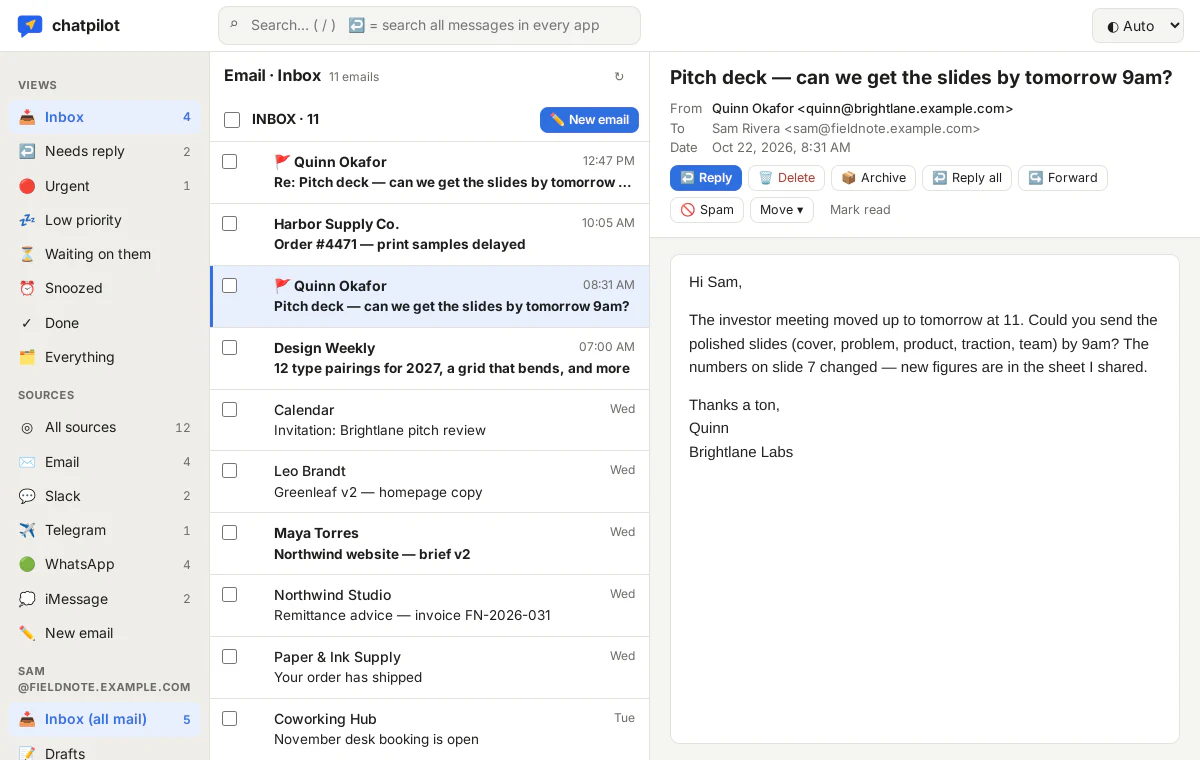
Email gets the same sorting, summaries and drafts as your chats. When you need more, the built-in mail client has your folders, compose and forward, and replies from the address the mail was sent to. You can also pick the From address per email chat.
Keep track without keeping lists
Tasks and appointments
Tasks and appointments from your chats in one list, with an Apple Calendar feed. Follow-up reminders for messages you're waiting on.
People across apps
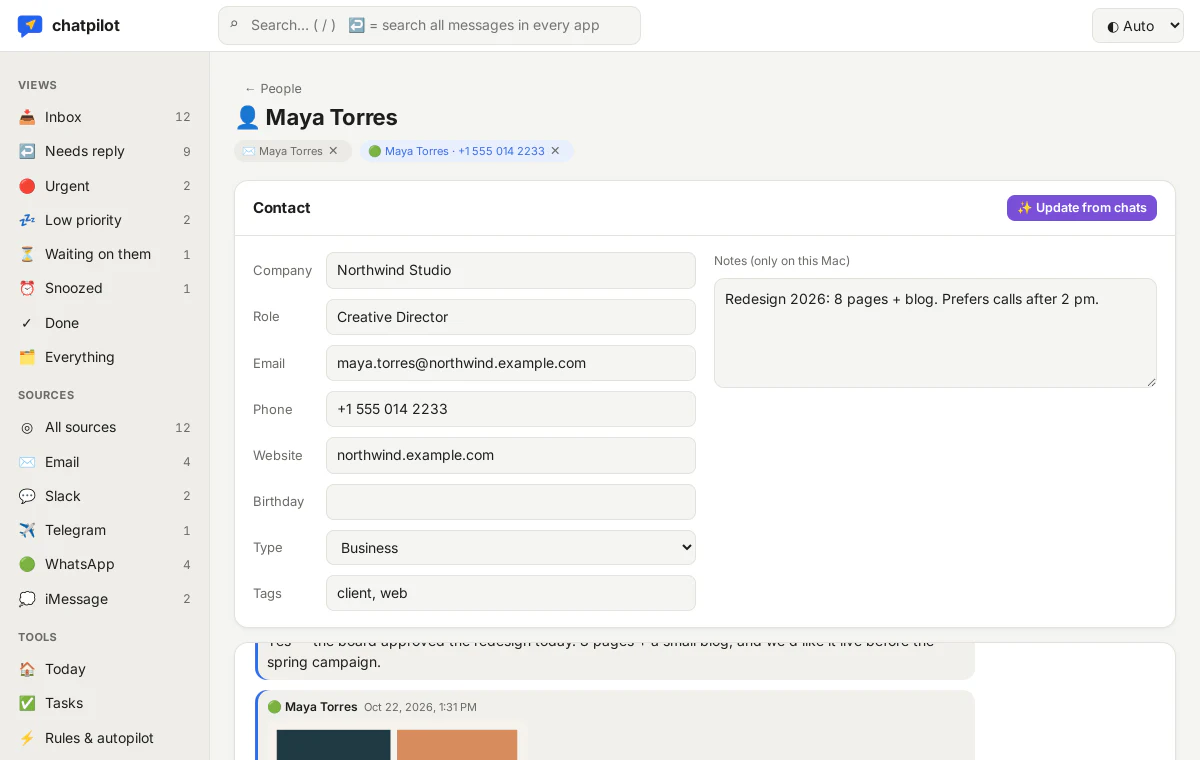
One contact for each person, with all their chats from every app. A local CRM keeps Claude's profile of each contact, built from their chats.
Rules
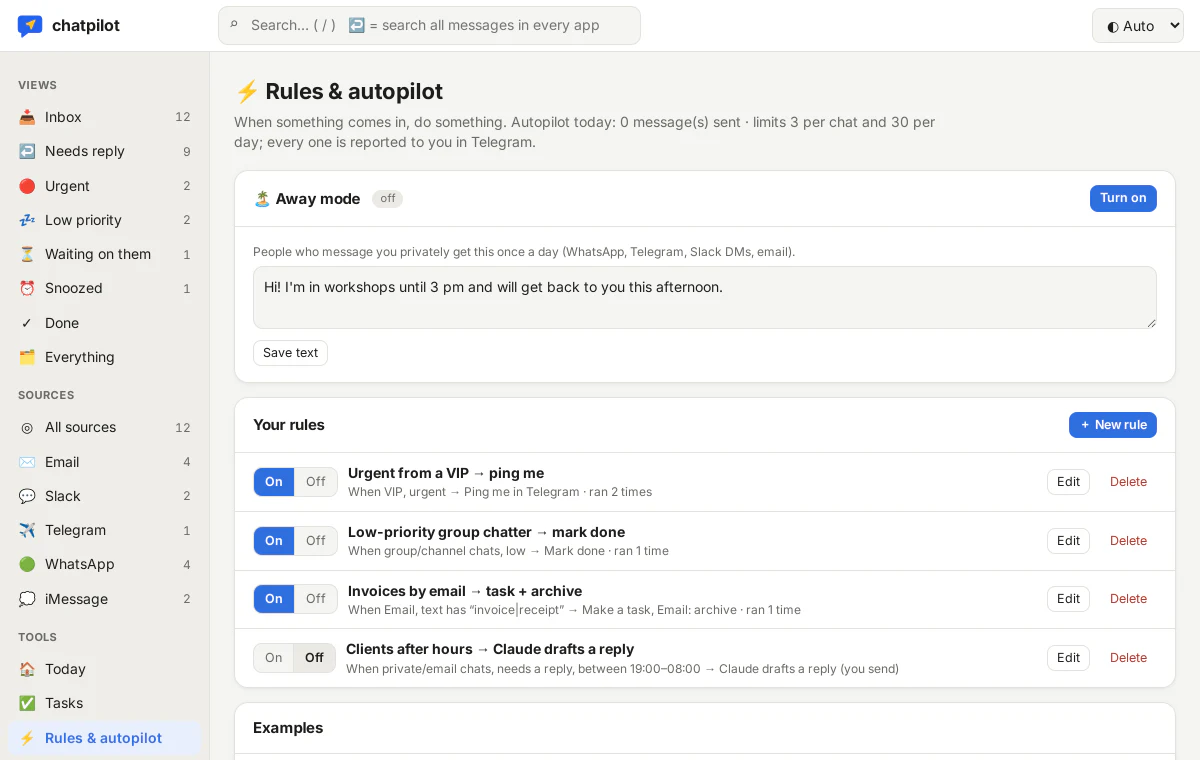
When … then …: ping me, snooze, mark done, make a task, forward, or draft a reply. Conditions on app, chat, person, words, urgency, bug reports, working hours and weekends.
Away mode
A fixed away message as a rule: only in the chats the rule covers, and at most once per chat per day.
Autopilot per chat
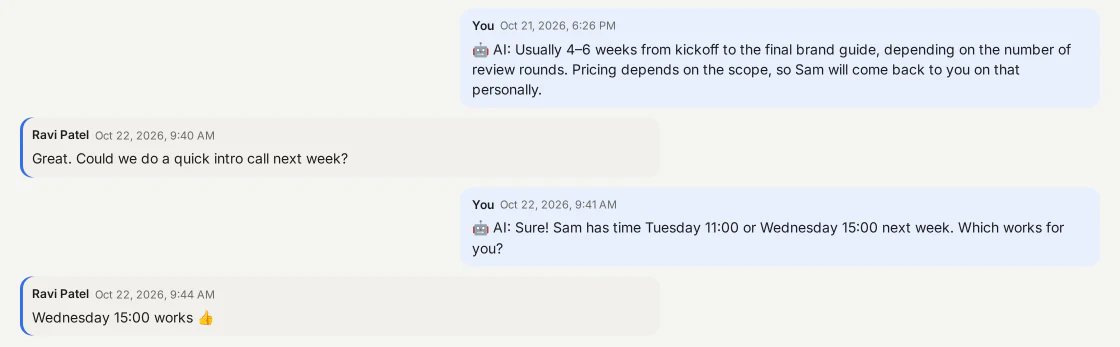
Claude answers in one chat on your behalf: openly as your AI assistant, with a marker on each message, a daily limit, and a pause as soon as you write yourself.
Telegram control bot
Alerts, digests, drafts with Send buttons and Claude on the go, in a bot that only answers you.
The promises in your chats, in one list
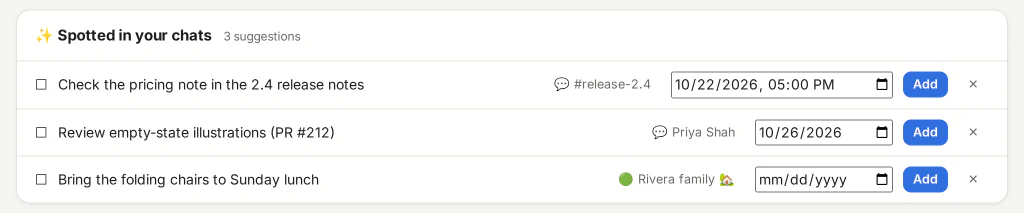
“I'll send the quote Friday” becomes a task. Claude spots tasks and appointments in your conversations; you keep them with one click. Overdue, today and upcoming in one place, and a Today page that starts your morning.
Answers that say they're from your assistant
With the autopilot on for a chat, Claude introduces itself and marks every message it sends. It only answers what it can answer from the chat and your notes, and passes anything about money, dates or promises to you.
When this, then that
Rules and an away mode you set up yourself, each with a hit counter and a log of what it did.
One person, every app
Maya writes on WhatsApp and also sends email: ChatPilot links both to one contact, so you see the whole relationship in one place. Press ⌘K to jump to any chat, person or page.
Your back office, read-only
Add any MCP server (an admin panel, CRM, shop or database) with its URL and key. Claude reads the list of tools and writes down what can be looked up there.
- Use a source in every discussion, or only in the chats you bind it to
- Bind a chat to one account (“customer 1234”): Claude then only uses that account's data there
- Drafts and the autopilot use a source only if you tick that too
- Tools whose names say they change something (create, update, delete, send …) are left out
Where it runs
| macOS 14+ | Everything, including iMessage and SMS. Apple Silicon recommended. |
| Linux | Desktop, server or Docker. Everything except iMessage and SMS. |
| Windows 10/11 | Everything except iMessage and SMS. |
| Your phone | The panel works on a phone through your own private network (Tailscale), added to the home screen. |
Get an invite
ChatPilot is in a private beta for macOS, Linux and Windows. Leave your email and we'll send you an invite and the setup guide when there's room.
We only email you about your invite and the beta. Unsubscribe at any time. How we handle your email.